Imagine this: you’ve just spent a breathtaking hour watching a grizzly sow and her cubs fish for salmon in a remote Alaskan river. Your drone captured stunning aerials, your action camera got the close-up splash, and your mirrorless camera documented every detail. You’re buzzing with excitement, ready to review and start editing, but you’re hundreds of miles from the nearest reliable internet connection. Uploading even a low-res proxy to the cloud is days away, if not impossible. This is the reality of an Alaska road trip, and it’s precisely why a robust offline video editing workflow isn't just a convenience—it’s a necessity.
For those planning their first or second self-drive adventure through Alaska, whether you’re a couple, a family, or enjoying retirement, the thought of managing gigabytes of 4K footage on the road can feel as daunting as navigating the Dalton Highway in a snowstorm. You want to capture the magic of Denali, the Kenai Fjords, or the vast wilderness, but you also want to ensure those memories are safe and editable without relying on spotty Wi-Fi or expensive satellite connections. This guide will walk you through building an efficient, reliable offline video editing workflow designed for the unique challenges of the Last Frontier in 2026, helping you keep your focus on the adventure, not the logistics of your data. Source: Dot Alaska source.
The Unique Challenges of Editing Video in Alaska
Alaska’s vastness and wild beauty are its greatest draws, but they also present specific hurdles for mobile video production. Understanding these challenges is the first step to building a resilient offline workflow.
Limited Internet Access and Bandwidth
Beyond Anchorage, Fairbanks, and a few larger towns, reliable high-speed internet is a luxury, not a given. Many remote lodges, campgrounds, and even smaller communities offer only slow, expensive, or non-existent Wi-Fi. This means cloud-based solutions for storage, backup, or proxy syncing are largely impractical for daily use. You simply cannot depend on uploading your daily footage to Google Drive or Dropbox.
Power Constraints on the Road
Whether you’re in an RV or a rental car, consistent power for charging multiple camera batteries, external drives, and a powerful editing laptop is a constant consideration. Your van’s 12V system is your primary lifeline, and you need to maximize its efficiency without draining your vehicle’s starter battery. Long drives between towns mean fewer opportunities to plug into shore power.
Extreme Temperatures and Gear Protection
Alaska’s weather can be unpredictable, even in summer. While you’re likely visiting between April and October, temperatures can still drop significantly, especially at night or in higher elevations. Your gear needs protection from dust on gravel roads, moisture from rain or mist, and temperature fluctuations that can affect battery life and electronics. Just as planning an Alaska trip requires foresight for remote areas and variable conditions, so does safeguarding your valuable video equipment and data.
Building Your Robust Offline Video Editing Workflow
A successful offline workflow hinges on preparation, redundancy, and efficient processing. Here’s how to set it up for your Alaska adventure.
Data Redundancy: Your First Line of Defense
The golden rule of data management is the 3-2-1 backup strategy: three copies of your data, on two different types of media, with one copy off-site. While “off-site” might mean a different bag in your vehicle, the principle remains crucial.
- Primary Storage: Fast Portable SSDs. For active projects and immediate offloading, invest in several high-capacity (1-2TB each) portable NVMe SSDs. These are fast, rugged, and consume less power than traditional hard drives. Keep one dedicated to your current project and others for daily backups.
- Secondary Storage: Larger External HDDs (or more SSDs). For your second copy, a larger, bus-powered external HDD (4-8TB) can be more cost-effective for archival, though slower. While traditional HDDs offer cost-effective bulk storage, if budget allows, additional SSDs can provide enhanced durability and speed for your secondary backups.
- On-Camera Media: Your Third Copy (Temporarily). Don't erase your camera's SD or CFexpress cards until you have at least two verified copies on external drives. These cards serve as your temporary third copy.
When you offload footage, copy it to *two* separate external drives immediately. Verify the copy using checksum software (like Shotput Pro or Hedge for Mac/PC) to ensure data integrity. This step is non-negotiable. For more on general data backup best practices, consider resources from reputable data storage companies like Backblaze. You can also learn more about understanding checksum verification for ensuring your data copies are perfect.
Managing 4K Footage from Drones and Action Cameras
4K footage is beautiful but massive. A single day of shooting with a drone and an action camera can easily generate hundreds of gigabytes. Efficient management is key.
- Dedicated Card Readers: Carry multiple fast USB-C card readers compatible with all your media types (SD, microSD, CFexpress). This allows you to offload cards simultaneously.
- Organized Folder Structure: Before you leave, establish a clear folder structure on your external drives. A common method is `YYYY-MM-DD_Location_ProjectName`. Within each day's folder, create subfolders for each camera (e.g., `Drone`, `GoPro`, `Mirrorless`). This makes finding clips much easier later.
- Proxy Workflow: This is the cornerstone of an efficient offline video editing workflow. Editing native 4K files on a laptop, especially one running off 12V power, can be sluggish. Proxies are smaller, lower-resolution versions of your original footage that your editing software uses for smooth playback. You edit with the proxies, and then, when you’re ready to export (or have access to a more powerful desktop), you reconnect to the original 4K files for the final render. Most professional editing software like Adobe Premiere Pro, DaVinci Resolve, and Final Cut Pro have robust proxy generation features. Learn more about the benefits of a proxy workflow from resources like Adobe's guide on proxy workflows. Source: Backblaze source.
Powering Your Editing Suite on 12V Systems
Keeping your gear charged and operational requires careful power planning, especially if you're exploring Alaska in an RV or a modified vehicle. Understanding the difference between an RV and a car for an Alaska trip is crucial for power management. You can find more insights on this at RV vs. Car for an Alaska Road Trip.
- Pure Sine Wave Inverters: If you’re running a laptop directly from your vehicle’s 12V battery, you need a pure sine wave inverter. These convert DC power to AC power that mimics household electricity, which is safer for sensitive electronics like laptops and external drives. Avoid modified sine wave inverters, as they can damage your gear over time. For more information on inverter types and their suitability for electronics, consult resources from power solution providers like Renogy's guide on inverter types. Source: Renogy source. Source: Backblaze source.
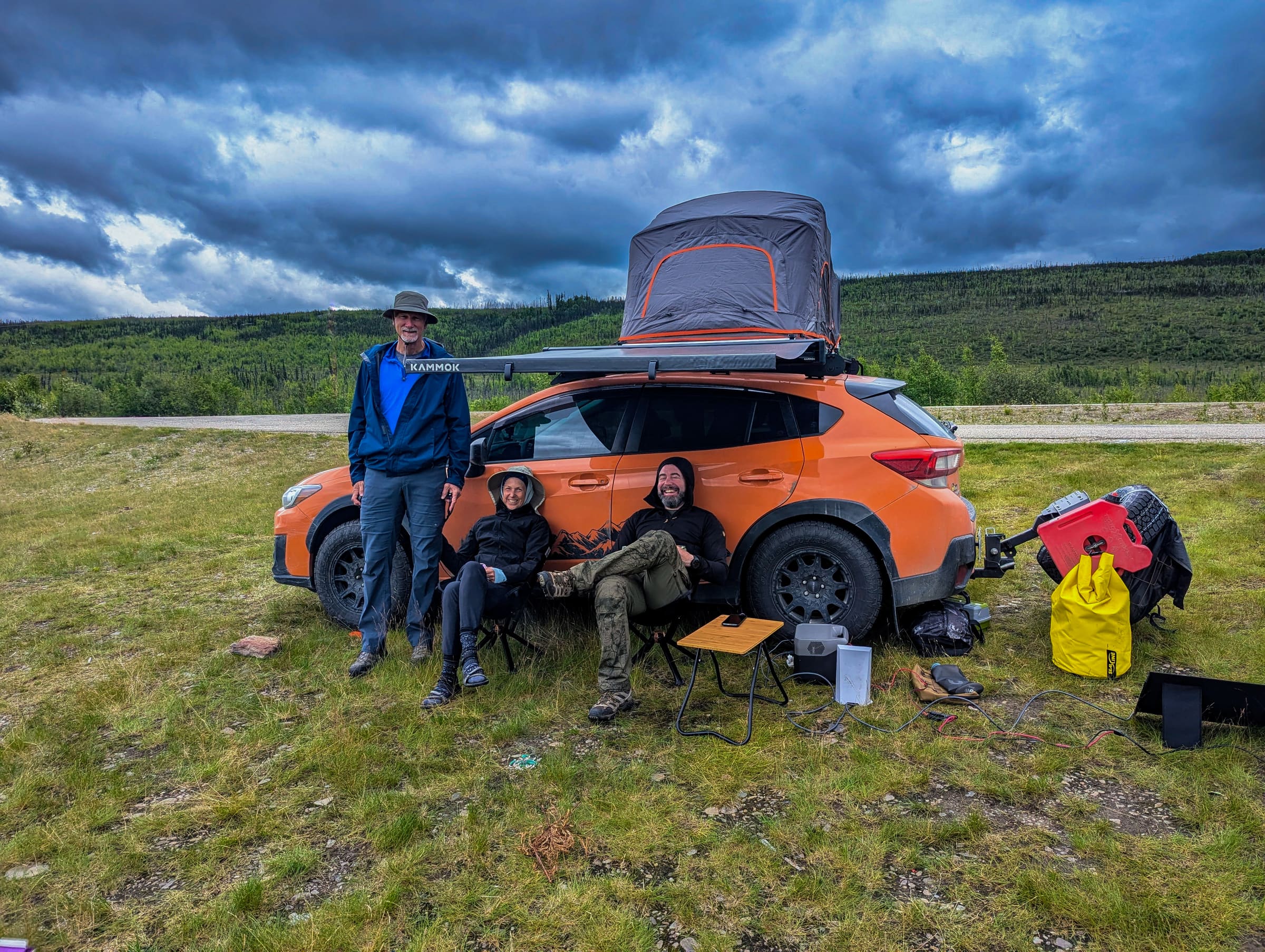
- Portable Power Stations: A high-capacity portable power station (e.g., Jackery, Goal Zero, EcoFlow) is an excellent investment. These units contain large lithium-ion batteries, multiple AC outlets, USB ports, and 12V outputs. They can be charged from your vehicle’s 12V outlet while driving, via solar panels, or from a wall outlet when available. This provides a dedicated, stable power source for your editing setup, separate from your vehicle’s starter battery.
- Efficient Hardware Choices: When selecting a laptop for travel editing, prioritize power efficiency alongside processing power. Laptops with ARM-based processors (like Apple's M-series chips) are incredibly efficient.
- Solar Charging Considerations: Alaska’s summer offers incredibly long daylight hours, which can be great for solar charging. However, the sun angle can be lower, and cloudy days are common. A portable solar panel array connected to your power station can provide a trickle charge, extending your off-grid time. For more on optimizing your vehicle for such adventures, check out Essential Alaska Road Trip Vehicle Mods.
Essential Gear for Your Mobile Editing Studio
Your gear choices significantly impact the feasibility and efficiency of your offline video editing workflow.
Storage Solutions: Speed and Capacity
- NVMe SSDs: For your primary working drive, an external NVMe SSD connected via USB 3.2 Gen 2 (10Gbps) or Thunderbolt 3/4 (40Gbps) is ideal. These offer incredible read/write speeds, crucial for 4K editing, and are highly durable. Aim for at least 2TB.
- Bulk Storage: For redundant backups and archiving, larger capacity (4TB+) external SSDs or rugged HDDs are suitable. Remember, speed is less critical for backup than reliability.
- Multi-Card Reader: A single, high-speed card reader that supports all your camera media types (SD, microSD, CFexpress Type A/B) will streamline your offloading process.
Processing Power: Laptops That Can Handle 4K
While you’ll be using proxies, a capable laptop is still essential for smooth editing and eventual rendering.
- CPU and RAM: Look for a laptop with a powerful multi-core processor (e.g., Intel i7/i9, AMD Ryzen 7/9, Apple M-series Pro/Max) and at least 16GB of RAM (32GB is better for 4K).
- GPU: A dedicated graphics card (NVIDIA RTX, AMD Radeon, or integrated M-series GPU) will significantly accelerate rendering and effects.
- Screen Quality: A bright, color-accurate display is important for reviewing and color grading your footage.
Power Management: Keeping Everything Charged
- Portable Power Station: As mentioned, a 500Wh to 1000Wh (or larger) portable power station is an excellent investment.
- High-Wattage USB-C PD Charger: For your laptop, a compact, high-wattage (60W-100W) USB-C Power Delivery (PD) charger is efficient.
- Multi-Port USB Charger: For charging camera batteries, phones, and other accessories.
- Car Chargers: USB car chargers for your vehicle’s 12V outlets.
Protection: Keeping Your Gear Safe
- Rugged Cases: Hard cases (like Pelican or Nanuk) for your laptop and drives offer excellent protection against impacts, dust, and moisture.
- Water-Resistant Bags: For camera gear, a good quality camera backpack with a rain cover is essential.
- Temperature Control: Avoid leaving electronics in direct sunlight or extreme cold. In hot conditions, use a reflective sunshade. In cold, keep batteries and sensitive electronics insulated.
For a broader look at what to bring on your journey, consult our Alaska Road Trip Packing List.
Streamlining Your Editing Process on the Road
Even with the right gear, a disciplined approach to your editing process will save you time and frustration.
Pre-Production: Planning Your Shots and Story
The best way to manage footage is to shoot less, but shoot better. Before you even leave for Alaska, have a rough idea of the story you want to tell. Create a shot list for key locations or activities. This minimizes the amount of unnecessary footage you'll need to offload and sort later.
Daily Workflow: Ingest, Organize, and Proxy
Dedicate time each evening, or at least every other day, to this routine:
- Ingest: Offload all footage from your camera cards to your primary external SSD.
- Backup: Immediately copy that footage to your secondary backup drive. Verify the copies.
- Organize: Move the footage into your pre-defined folder structure. Rename files if necessary (e.g., `20260707_Denali_Grizzly_Drone001.mp4`).
- Generate Proxies: Use your editing software to generate proxies for all new 4K footage. This can be done overnight or while you're driving (if your setup allows for safe operation).
- Review and Log: Quickly review your footage and make notes or mark selects. This helps you remember what you captured and where.
Software Choices for Offline Efficiency
Most professional editing suites are well-equipped for an offline video editing workflow:
- DaVinci Resolve: The free version is incredibly powerful and offers excellent proxy generation and management. It's resource-intensive but highly capable.
- Adobe Premiere Pro: Industry-standard, with robust proxy workflows and integration with other Adobe apps. Requires a subscription.
- Final Cut Pro: Mac-only, known for its speed and efficiency, especially on Apple Silicon Macs. Excellent proxy support.
Familiarize yourself with your chosen software's proxy settings *before* your trip. Practice the workflow at home.
When DIY Planning Becomes Overwhelming: Focus on the Adventure
Just as a complex video workflow can distract from the joy of capturing moments, trying to plan every detail of an Alaska road trip can take away from the experience itself. You’re spending countless hours researching routes, lodging, activities, and navigating closures like the 2026 Denali Park Road mile 43 closure. This DIY approach, while rewarding for some, often leads to missed opportunities, unnecessary stress, and the feeling that you’re working on your vacation, not enjoying it.
Imagine having a custom, day-by-day itinerary hand-built by a founder who has driven thousands of miles across multiple seasons. Someone who knows the concrete details—drive times, seasonal closures, and local insights—not generic travel-blog filler. This is what Alaska Road Trip offers. We provide a done-for-you solution, delivering a printable, offline-ready PDF itinerary in 3-5 business days, complete with lodging and activity recommendations and direct booking links. You book directly, maintaining control, but without the overwhelming research burden.
Our services are designed to fit your trip length and needs:
- Lite: a measurable budget for 1-5 days
- Standard: a measurable budget for up to 14 days
- Plus: a measurable budget for 15+ days
- Concierge: a measurable budget which adds a 30-minute live call with our founder for personalized advice.
We stand by our service with a 14-day money-back guarantee, full refund, no questions asked. This allows you to focus on capturing stunning footage of Alaska’s grizzlies, glaciers, and grandeur, knowing your trip logistics are expertly handled. Let us take the planning off your plate so you can fully immerse yourself in the adventure and your creative pursuits. Learn more about how we can help you plan your trip.
Frequently Asked Questions
What's the best way to back up footage while traveling in Alaska?
The best strategy is the 3-2-1 rule: three copies of your data, on two different types of media, with one copy off-site. Practically, this means offloading your camera cards to two separate external SSDs immediately after shooting. Keep your camera cards as a temporary third copy until you're confident in your backups. Avoid erasing cards until you're confident in your backups.
Can I really edit 4K video on a laptop powered by my car?
Yes, but with caveats. You'll need a powerful laptop (good CPU, RAM, and GPU) and a pure sine wave inverter or a portable power station charged by your vehicle's 12V system. Crucially, you should be editing with proxies (lower-resolution versions of your 4K footage) to ensure smooth performance and reduce power consumption. The final render can be done later when you have stable power and more time.
How much storage do I need for a two-week Alaska road trip with 4K footage?
This depends heavily on your shooting style and camera settings, but 4K footage consumes a lot of space. For a two-week trip, if you're shooting daily with multiple cameras, you could easily generate 2-4TB of raw footage. Plan for at least 4-8TB of fast external SSD storage for your primary and backup copies. It's often better to overestimate your storage needs than to run out. Source: Seagate source.
What's the biggest mistake people make with travel vlogging in remote areas?
The biggest mistake is underestimating the lack of reliable infrastructure—especially internet and consistent power—and not having a robust offline video editing workflow in place. Relying on cloud services, not having redundant local backups, or not planning for power can lead to lost footage, missed editing opportunities, and significant frustration. Many travelers often assume they'll be completely off-grid for extended periods without adequate preparation.
Don't let the technical demands of an offline video editing workflow overshadow the incredible experience of an Alaska road trip. By preparing your gear and workflow in advance, you can capture and preserve every stunning moment without stress. And when it comes to planning the road trip itself, let Alaska Road Trip handle the complex logistics. Our custom itineraries ensure you spend less time researching and more time creating unforgettable memories and breathtaking footage. Visit Alaska Road Trip today to start planning your seamless Alaskan adventure. Source: Alaskaroadtrip source.
See a real Alaska itinerary before you spend a dollar
A real 3-day plan with driving times, lodging picks, and a daylight chart — free, in your inbox.
One email. No spam. Unsubscribe anytime. Or view it right now — no email needed ↗
Ready for the full plan? Get your custom itinerary — from $197 · 5-day delivery →